Lesson Introduction
Data is powerful, but raw numbers and spreadsheets can leave audiences confused. In this lesson, we'll take your data visualization skills to the next level by exploring the art of data storytelling.
Get ready to:
- Clean and prepare your data – Because messy data leads to messy visualizations!
- Craft compelling narratives with data – Unleash the power of data to tell a clear and impactful story.
- Choose the perfect chart type – Different visualizations tell different stories. Learn to match the chart to your narrative.
By the end of this lesson, you'll be equipped to transform data into engaging stories that captivate your audience. So, get ready to transform from a data interpreter to a data storyteller!
Why Data Storytelling?
Imagine walking into a room filled with scattered puzzle pieces. It's a jumble of information, but without context, it's hard to see the bigger picture. This is how raw data can often feel – overwhelming and unclear.
Here's where data storytelling comes in. It's the art of transforming that jumble of data points into a compelling narrative, a story that resonates with your audience. Data storytelling helps you:
- Conveying Insights Effectively: It bridges the gap between the raw data and the meaning it holds. By weaving data into a narrative, you make complex findings easy to understand and remember.
- Engaging Your Audience: Charts and graphs alone can be dry. Data storytelling breathes life into data by adding context, highlighting trends, and making your message relatable. This keeps your audience engaged and invested in what you're trying to communicate.
- Driving Action: A well-told data story doesn't just inform, it inspires. By effectively conveying insights, you can motivate your audience to take action, make informed decisions, or support your ideas.
Data storytelling isn't just about flashy visuals; it's about using data strategically to connect with your audience and make an impact. It's about transforming data from a puzzle into a clear picture, a picture that tells a powerful story.
The Peril of Messy Data: Why Cleaning Matters for Clear Visualizations
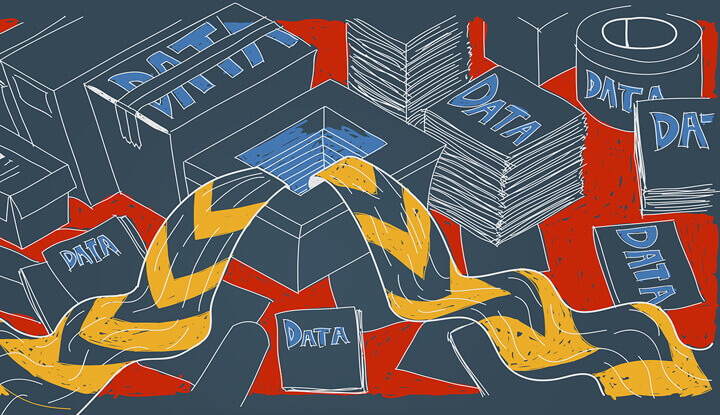
Imagine trying to build a house on a foundation of sand. No matter how impressive the design or skilled the builder, the structure is bound to be shaky and unreliable. The same principle applies to data visualization: you can't build clear and accurate visualizations on a foundation of messy data.
Here's how messy data can negatively impact your visualizations:
- Distorted Results: Inaccurate or inconsistent data can lead to misleading visualizations. Outliers, missing values, and formatting errors can skew the data's true representation, resulting in charts and graphs that paint a false picture.
- Reduced Clarity: Messy data introduces confusion into your visualizations. Inconsistent formatting, typos, and unclear labels can make it difficult for your audience to interpret the data and understand the story you're trying to tell.
- Wasted Time and Effort: Imagine pouring hours into crafting a beautiful visualization, only to discover later that the underlying data is flawed. Cleaning data upfront saves you time and frustration in the long run.
Let's take an example. Say you're creating a bar chart to compare sales figures across different regions. If your data contains duplicate entries for some regions or has missing sales figures for others, your chart will be inaccurate and misleading.
By cleaning your data, you ensure a solid foundation for your visualizations. You remove the noise and inconsistencies, allowing the true story within the data to shine through. Clean data translates to clear and trustworthy visualizations that effectively communicate your message.
Taming the Mess: Essential Data Cleaning Techniques
Data Cleaning: Prevention is better than cure.
Data may be powerful, but it's rarely perfect. Before you can unleash the storytelling potential of your data, you need to address some common challenges. Here's a toolbox of techniques to clean and prepare your data for impactful visualizations:
Missing Values: Like uninvited guests at a party, missing data points can disrupt your analysis. Here's how to handle them:
- Identify: First things first, locate missing values in your data. Tools like filtering or highlighting missing entries can help you spot them.
- Imputation: If the missing data isn't crucial, you can fill the gaps using techniques like averaging values from similar entries.
- Deletion: For less critical data points, removing entire rows with missing values might be an option, but be mindful of potential information loss.
Outliers and Inconsistencies: Outliers, data points that fall far outside the typical range, can skew your visualizations. Here's how to deal with them:
- Investigation: Don't delete outliers right away! Investigate if they represent genuine anomalies or data entry errors.
- Winsorization: This technique replaces extreme outliers with values closer to the main data cluster, preserving valuable insights while reducing distortion.
- Capping: For less critical outliers, you can cap their values to a certain threshold.
Formatting and Standardization: Imagine a bookshelf with books arranged haphazardly – that's what inconsistent data formatting looks like. Here's how to create uniformity:
- Dates and Times: Ensure consistent date and time formats across your data set.
- Capitalization: Decide on a capitalization standard (lowercase, uppercase, etc.) and apply it consistently.
- Units and Measurements: Maintain consistency in units (e.g., centimeters vs inches).
Tools and Software for Data Cleaning:
- Spreadsheets (Excel, Google Sheets) offer basic cleaning functionalities.
- Programming languages like Python and R provide powerful data cleaning libraries (e.g., Pandas in Python).
- Data cleaning software like OpenRefine and Trifacta offer dedicated tools for data wrangling.
By applying these techniques, you transform messy data into a well-organized and reliable source for your visualizations. Remember, clean data is the foundation for clear and impactful data stories.
Cleaning a Dataset in Excel
Data Cleaning Tools In Microsoft Excel
Excel offers built-in features for basic data cleaning. Here's how to tackle a sample dataset similar to the one used in the Python example:
Sample Data:
| Name | Age | City | Income |
|---|---|---|---|
| Alice | 25 | New York | 80,000 |
| Bob | "30" | Los Angeles | NaN |
| Charlie | NA | Chicago | 100,000 |
| David | 42 | New York | 75,000 |
| Eve | 28 | San Francisco |
Cleaning Steps:
Identify Missing Values:
- Use the
Find & Replacefunction (Ctrl+H).- In the "Find what" field, leave it blank.
- In the "Replace with" field, enter a placeholder like "MISSING".
- Click "Replace All" to highlight all blank cells.
- Use the
Handling Missing Values:
- Drop Rows:
- Select the rows with missing values (identified in step 1).
- Right-click and choose "Delete". (Consider alternative methods like filling with averages if appropriate for your data)
- Fill Missing Values: (Not ideal for all situations)
- In a separate column, enter a formula to calculate the average age (example:
=AVERAGE(B2:B$5), assuming your data starts in cell B2 and goes down to row 5). - Copy the formula down the column for all rows with missing ages.
- Copy the values from the helper column and paste them over the missing ages in the original "Age" column (use Paste Values to avoid copying formulas).
- Delete the helper column.
- In a separate column, enter a formula to calculate the average age (example:
- Drop Rows:
Formatting and Standardization:
- Dates and Times:
- Select the date/time column.
- Go to the "Home" tab, click the number format dropdown arrow, and choose the desired date/time format.
- Capitalization:
- Use the "Find & Replace" function again.
- In "Find what", enter the current capitalization (e.g., "MiXed").
- In "Replace with", enter the desired format (e.g., "lowercase").
- Click "Replace All".
- Units and Measurements:
- Manually review the "Income" column and ensure consistent units (e.g., remove commas if all values are whole numbers).
- Dates and Times:
Extracting Numbers from Text:
- For the extra space in Eve's income, you can use the
TRIMfunction.- In a separate column, enter the formula
=TRIM(D2)(assuming income is in column D and starts at row 2). - Copy the formula down for all rows.
- Copy the values from the helper column and paste them over the original income values (use Paste Values).
- Delete the helper column.
- In a separate column, enter the formula
- For the extra space in Eve's income, you can use the
Converting Text to Numbers:
- Select the "Income" column.
- Go to the "Data" tab and click "Text to Columns".
- Follow the wizard to convert the text to numbers, ensuring the correct delimiter (e.g., comma if there's a comma decimal separator).
Remember, this is a basic example. Excel offers more advanced features like conditional formatting and data validation for complex cleaning tasks. For extensive cleaning, consider using Python libraries like Pandas for more efficient manipulation.
Example: Cleaning Data with Python

Here's an example of how to clean a sample dataset using Pandas, a popular Python library for data manipulation:
Sample Data (Comma-Separated Values format - CSV):
name,age,city,income
Alice,25,New York,80000
Bob,"30",Los Angeles,NaN
Charlie,NA,Chicago,100000
David,42,New York,75000
Eve,28,San Francisco,
This data has inconsistencies in formatting, missing values (NA), and an extra space in the income field for Eve. Let's clean it!
This code demonstrates some basic data cleaning techniques using Pandas:
- Identifying Missing Values: We use
df.isnull().sum()to identify the number of missing values in each column. - Dropping Rows: Here, we're dropping rows with missing names (not ideal for all situations). Consider alternative methods like imputation.
- Filling Missing Values: We replace missing ages with the median age. Explore other imputation techniques based on your data.
- Formatting and Standardization: We remove extra spaces in the income column and convert it to a numerical format (assuming it represents numbers).
- Outlier Handling: This example doesn't cover outlier treatment, but you can explore libraries like SciPy for outlier detection and handling.
Remember, this is a simplified example. The data cleaning process will vary depending on your specific data and the story you want to tell.
The Cornerstones of Data Storytelling: Captivating Your Audience with Insights
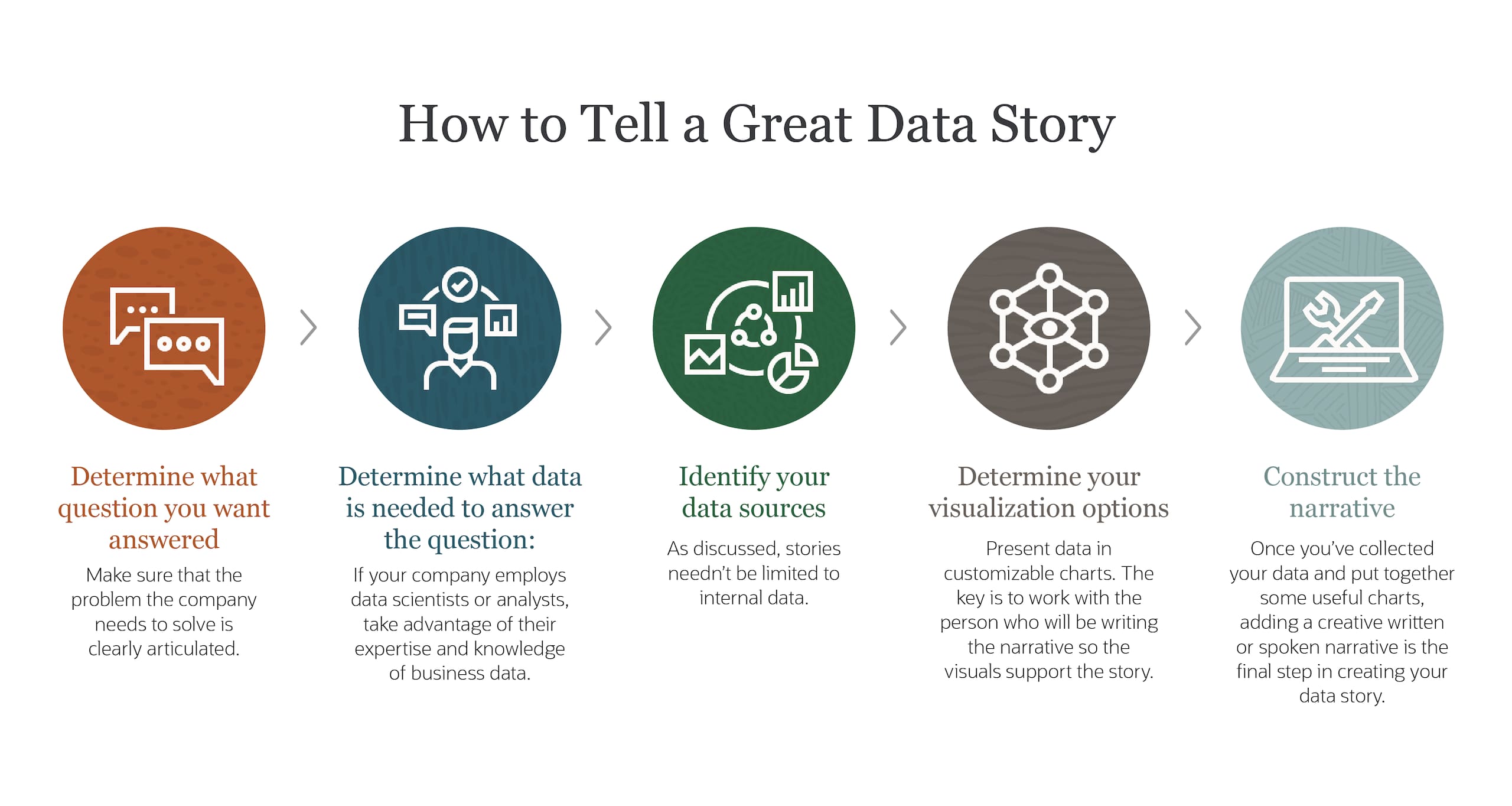
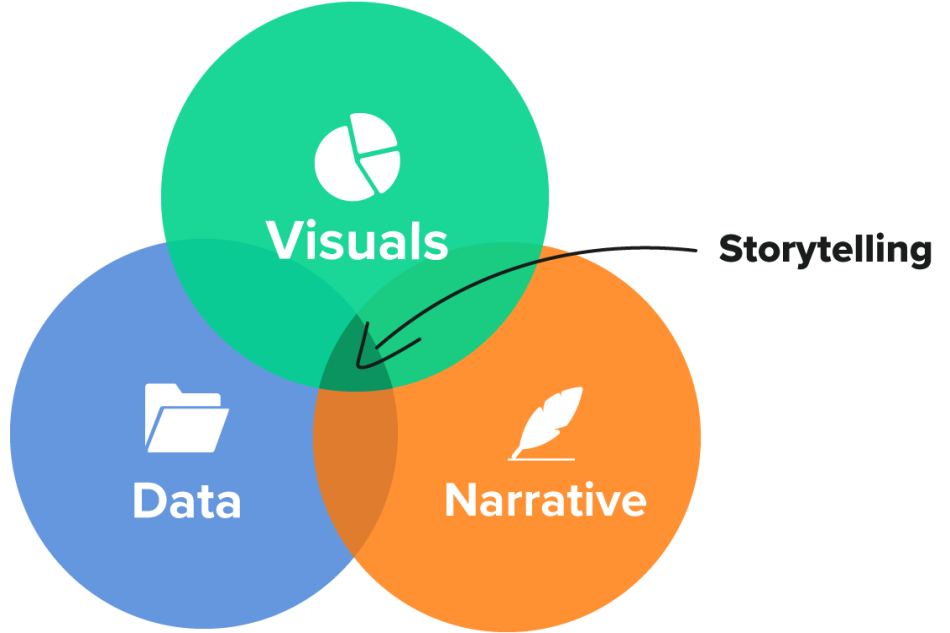
Data storytelling isn't just about presenting data; it's about weaving a narrative that resonates with your audience. Here are the core elements that transform raw data into impactful stories:
- Defining the Audience and Purpose:
- Who are you talking to? Understanding your audience – their background, knowledge level, and interests – tailors your story to their needs.
- What do you want to achieve? Do you want to inform, persuade, or inspire action? A clear purpose guides your narrative structure and content.
- Crafting a Clear and Concise Narrative:
- Hook them early: Grab your audience's attention with a compelling introduction that sets the stage for your story.
- Structure your story: Organize your data points into a logical flow with a clear beginning, middle, and end.
- Use simple language: Avoid technical jargon and explain complex concepts in an engaging and easy-to-understand manner.
- Using Visualizations to Support and Illustrate the Story:
- Visuals are powerful: Charts, graphs, and infographics help translate data into a visually appealing format that aids comprehension and retention.
- Choose the right chart type: Match the visualization to the story you're telling. Don't overload charts with too much data.
- Context is key: Ensure your visuals are properly labeled and accompanied by clear explanations to avoid confusion.
- Emphasizing Key Findings and Takeaways:
- What's the bottom line? Don't leave your audience guessing. Highlight the key insights and takeaways you want them to remember.
- Call to action: If your goal is to inspire action, provide a clear call to action that motivates your audience to act on your findings.
By weaving these elements together, you transform data into a compelling story that informs, engages, and inspires your audience. Remember, data storytelling is about the human connection you create with your data, not just the data itself.
Captivating the World with Data: Real-World Examples of Data Storytelling

Data storytelling isn't just a theoretical concept; it's a powerful tool used by organizations and individuals to communicate insights in impactful ways. Here are a few real-world examples to spark your inspiration:
The New York Times: U.S. Coronavirus Cases (https://www.nytimes.com/spotlight/graphics) - This interactive piece uses maps and charts to track the spread of COVID-19 across the United States. It allows users to explore data by state, county, and demographics, providing a clear picture of the pandemic's impact.
Our World in Data: CO2 Emissions (https://ourworldindata.org/co2-and-greenhouse-gas-emissions) - This website uses interactive charts and graphs to showcase global CO2 emission trends. The clear visuals and concise explanations help audiences understand the complexities of climate change and the impact of human activity.
National Geographic: Visualizing 500,000 Covid-19 Deaths in the US (https://www.nationalgeographic.com/science/graphics/what-500000-united-states-covid-deaths-look-like) - This story uses a powerful interactive bar chart to represent the staggering number of lives lost to COVID-19 in the United States. By comparing the deaths to everyday objects, the visualization creates a personal connection with the data's magnitude.
Gapminder: Income and Life Expectancy (https://www.gapminder.org/answers/how-did-the-world-population-change/) - This organization uses animations and interactive charts to explore global trends in income and life expectancy over time. The data comes alive, revealing the dramatic increase in life expectancy across the world.
These are just a few examples, but they showcase the versatility of data storytelling. By using compelling narratives and well-chosen visualizations, data can be transformed into a powerful tool for communication, education, and social change.
The Ethical Lens: Responsible Data Storytelling

Data storytelling is a powerful tool, but with that power comes responsibility. Here are some key ethical considerations to keep in mind when crafting your data stories:
Avoiding Bias: Data can be inherently biased, reflecting the way it's collected or analyzed. Be mindful of potential biases in your data source and be transparent about them.
- Example: Imagine a dataset on salary trends that only includes full-time employees. This excludes data on part-time workers, potentially skewing the average salary upwards.
Fair Representation: Ensure your visualizations represent the data fairly and accurately. Avoid using misleading chart types or manipulating scales to distort the true story.
- Example: A bar chart with a compressed y-axis can make a small difference appear significant.
Context is King: Data doesn't exist in a vacuum. Provide context for your visualizations, explaining the source of the data, the methodology used, and any limitations.
- Example: Sharing crime statistics alongside population density paints a more nuanced picture than just crime rates alone.
Respecting Privacy: When dealing with sensitive data, ensure you anonymize or aggregate data to protect individual privacy.
Transparency is Key: Be transparent about your goals and motivations in telling the story. Don't hide your agenda behind the data.
Avoiding Manipulation: Data storytelling should be about informing, not manipulating. Avoid using emotional triggers or fear-mongering tactics to push a specific agenda.
By being mindful of these ethical considerations, you ensure your data stories are responsible, informative, and trustworthy. Remember, data storytelling is about building trust with your audience, and that trust relies on ethical practices.
Chart Selection for Effective Storytelling

The best chart for your data story depends on two crucial factors: the type of data you have and the narrative you want to tell. Here's a breakdown of some common chart types, their strengths and weaknesses, and when to use them:
1. Bar Charts:
- Strengths: Excellent for comparing data across categories (e.g., customer satisfaction by product, sales figures by region). Bars make comparisons between discrete values visually clear.
- Weaknesses: Not ideal for showing trends over time (too many bars can clutter the chart). Limited space for displaying many categories.
- Best for: Comparing categories, highlighting differences or ranking items.
2. Line Charts:
- Strengths: Unveiling trends and changes over time. Line charts connect data points, allowing viewers to easily visualize how a variable changes (e.g., stock prices over a year, website traffic growth over months).
- Weaknesses: Not ideal for comparing specific data points at a single time. Can be cluttered with too many lines.
- Best for: Displaying trends, showing changes over time, comparing trends across multiple variables.
3. Pie Charts:
- Strengths: Illustrating part-to-whole relationships. Pie charts showcase how individual components contribute to a whole (e.g., budget breakdown by category, market share distribution). Easy to understand for a general audience.
- Weaknesses: Difficult to compare slices accurately, especially for small differences. Becomes cluttered with too many categories (consider using a donut chart for more than 5-7 categories).
- Best for: Presenting proportions of a whole, highlighting the dominant category, simple comparisons between a few categories.
4. Scatter Plots:
- Strengths: Revealing relationships between two variables. Scatter plots show how two variables interact with each other (e.g., correlation between study hours and exam scores, relationship between income and life expectancy).
- Weaknesses: Not ideal for displaying trends over time (use line charts instead). Can be difficult to identify patterns with many data points.
- Best for: Exploring relationships between variables, identifying correlations (positive or negative), detecting outliers.
Remember:
- Match the chart to the story: Choose the chart type that best emphasizes the message you want to convey in your data narrative.
- Clarity over complexity: Strive for clean and visually appealing charts that are easy to understand for your audience.
- Explore alternatives: Consider other chart types like histograms, heat maps, or box plots depending on your specific data and story needs.
By understanding the strengths and weaknesses of different chart types, you can choose the perfect weapon to tell your data story effectively!
Matching Datasets and Charts for Powerful Storytelling: A Practical Guide
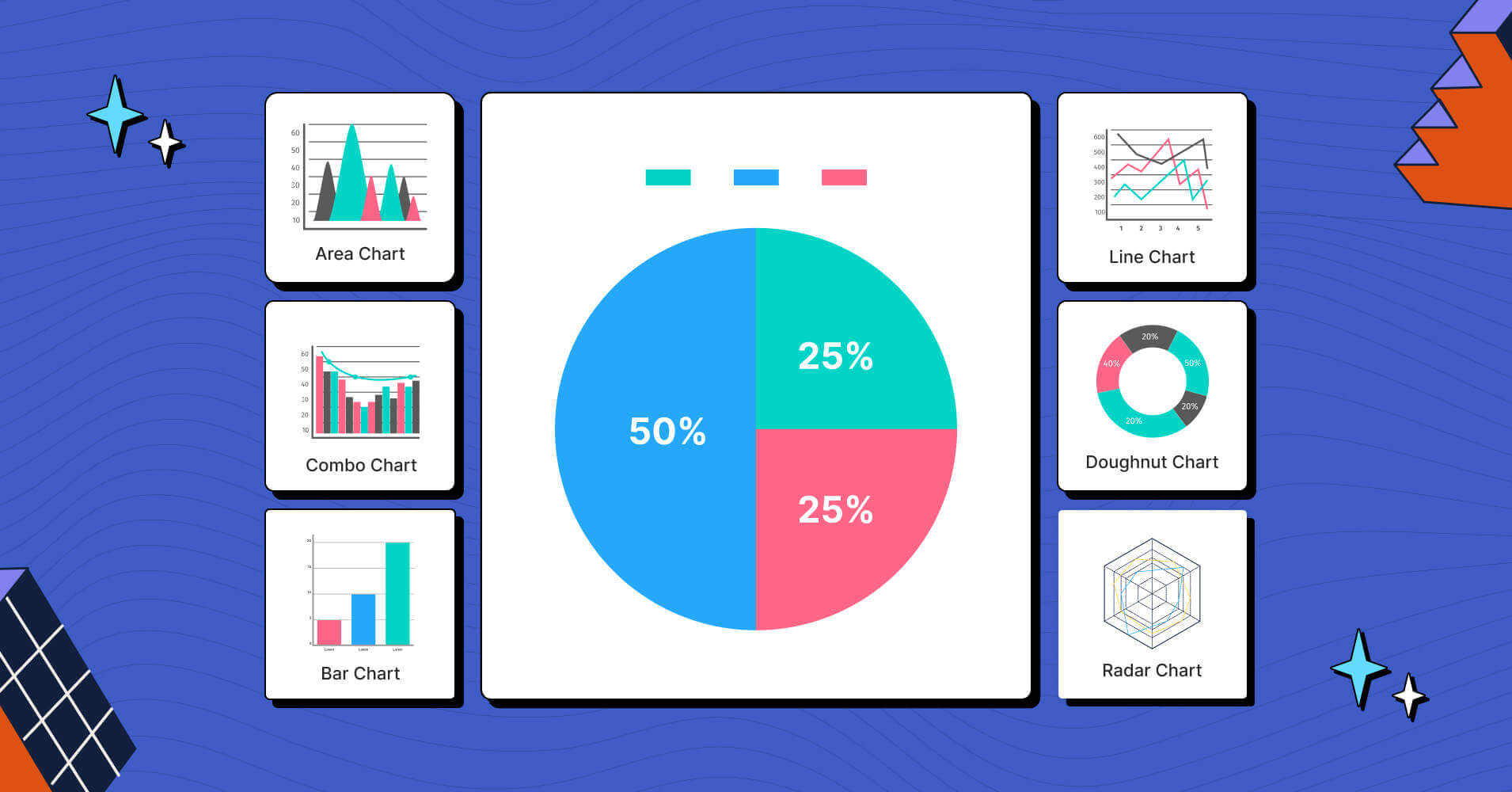
Choosing the right chart type is like picking the perfect tool for the job. Here's a breakdown to help you match various datasets with the most appropriate chart type for impactful data storytelling:
Scenario 1: Sales Figures by Region
- Data Type: Categorical (regions) with numerical values (sales figures).
- Story: Compare sales performance across different regions.
- Best Chart Type: Bar Chart. Bars allow for clear visual comparison of sales figures between each region.
Scenario 2: Website Traffic Over the Past Year
- Data Type: Time series (months) with numerical values (website visits).
- Story: Show the trend in website traffic over time.
- Best Chart Type: Line Chart. A line chart effectively showcases the rise, fall, or seasonal patterns in website traffic throughout the year.
Scenario 3: Customer Satisfaction Ratings
- Data Type: Categorical (rating categories) with numerical values (number of customers in each rating category).
- Story: Illustrate the proportion of customers who gave different satisfaction ratings.
- Best Chart Type: Pie Chart (if there are few rating categories, like 1-5 stars). Consider a Donut Chart for more than 5-7 categories to improve readability. Pie charts effectively show how each rating category contributes to the overall customer satisfaction picture.
Scenario 4: Relationship Between Age and Income
- Data Type: Numerical (age and income).
- Story: Explore the potential correlation between age and income.
- Best Chart Type: Scatter Plot. Scatter plots reveal the relationship between two variables (age and income) by plotting individual data points. This allows you to see if there's a trend (positive or negative correlation) or no clear connection.
Bonus Scenario: Movie Ratings and Release Dates
- Data Type: Categorical (release year) with numerical values (average rating).
- Story: Analyze how movie ratings have changed over time (considering potential limitations like data availability across a long timeframe).
- Best Chart Type: Line Chart (considering multiple years) or Grouped Bar Chart (for a smaller timeframe with bars representing each year and average rating within that year). A line chart can show the overall trend in ratings across release years. Alternatively, grouped bar charts can be used for a smaller timeframe, allowing for easier comparison of average ratings for each year.
Remember, these are just some common examples. The best chart type may vary depending on the nuances of your data and the specific story you want to tell. Here are some additional tips:
- Consider your audience: Choose a chart type that is easy for them to understand.
- Focus on clarity: Avoid overloading charts with too much data or complex designs.
- Experiment and iterate: Try different chart types and see which one best communicates your story.
End of Lesson Summary
Congratulations! You've embarked on a journey into the exciting world of data storytelling. Here's a quick recap of the key takeaways:
- Data storytelling is the art of transforming raw data into compelling narratives that resonate with your audience.
- It bridges the gap between data and meaning, making complex findings easy to understand and remember.
- Benefits: Clearer communication, informed decision-making, inspiring action.
Crafting Your Data Story:
- Define your audience and purpose: Who are you talking to? What do you want to achieve?
- Craft a clear and concise narrative: Hook them early, structure your story, and use simple language.
- Visualizations: Charts, graphs, and infographics bring your data to life. Choose the right chart type to support your story.
- Emphasize key findings: Don't leave your audience guessing; highlight the big takeaways and call to action (if applicable).
Ethical Considerations:
- Avoid bias: Be transparent about your data sources and potential biases.
- Fair representation: Use visualizations that accurately reflect the data.
- Context is king: Provide context for your data to avoid misinterpretations.
- Respect privacy: Anonymize or aggregate data when necessary.
We've also explored different chart types and how to match them with your data for impactful storytelling:
- Bar Charts: Comparisons across categories (e.g., sales figures by region).
- Line Charts: Trends and changes over time (e.g., website traffic growth).
- Pie Charts: Proportions and part-to-whole relationships (e.g., budget breakdown).
- Scatter Plots: Relationships between variables (e.g., correlation between age and income).
Remember, data storytelling is a powerful tool. Use it responsibly to create informative and engaging narratives that make a difference!

Comments
Post a Comment